SSH client · iPhone / iPad / Android / Mac

Your agent keeps working.

You keep walking.

Termite is a native SSH terminal built for the agent era. Run Claude Code on your servers, pocket the phone — sessions persist over tmux, and approvals reach your lock screen. Answer them without opening the app.

tmux-backed persistence keys behind Face ID Claude Code / Codex profiles
21:47
deploy@prod-web-01Persistent
ssh · 2222 · 127.0.0.1 · 1 tab
prod-web-011×
+ New
deploy@web-01:~/services/api$ claude
Claude Code · sonnet-4.6 · ~/services/api
> fix the flaky checkout test, then run the suite
Read tests/checkout.spec.ts (214 lines)
  The race is in the mock clock — the assert runs
  before the debounce settles. Patching:
Edit src/lib/debounce.ts +9 −2
Bash(npm test)
  ⎿ Running 84 tests…
Wrangling… (47s · esc to interrupt)
Approve Reject Mode Interrupt Stop Up Down
Raw
Message the agent…
esc ctrl alt shift
The flow

Kick off an agent. Lock your phone. Approve from anywhere.

01

Connect

All your servers in one place — colour-tagged, grouped, searchable, with live online status. Auth is a Face ID glance, not a password typed on glass.

02

Run your agent

Termite recognizes Claude Code from the PTY stream and swaps in the right controls — Approve, Reject, Mode, Interrupt, Stop. No hunting for Escape on a touch keyboard.

03

Lock your phone

The run lives in tmux on the host, not in the app. A Live Activity keeps it on your lock screen — phase, host, elapsed time.

04

It asks. You're told.

The agent pauses on a prompt → a time-sensitive notification lands, locked phone or not. The prompt itself is right there.

05

Approve from the lock screen

One tap. The keystroke rides your own SSH connection — credentials never touch a third-party server. The agent keeps going.
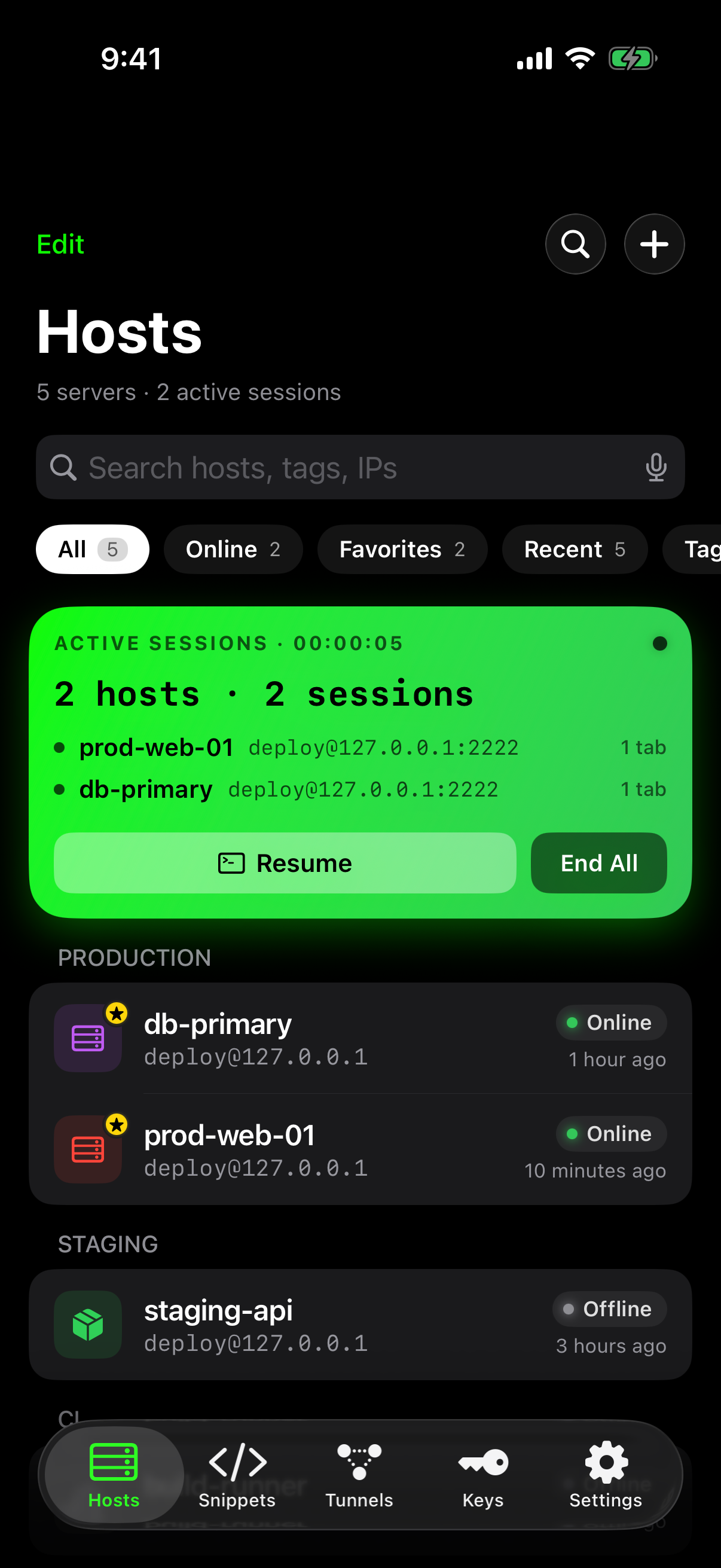
Termite Hosts screen — saved servers with live status
21:46
deploy@prod-web-01Persistent
ssh · 2222 · 127.0.0.1 · 1 tab
prod-web-011×
+ New
✳ claude code
Edit src/lib/debounce.ts +9 −2
Bash(npm test)
  ⎿ 84 passed, 0 failed · 41s
> nice — now deploy it to staging
Bash(npm run deploy:staging)
Do you want to run this command?
1. Yes
  2. Yes, don't ask again
  3. No
Approve Reject Mode Interrupt Stop
Raw
Message the agent…
Thursday, August 6
21:52
>_
claude-code
production-web-01
12:41
>_ Editing src/lib/debounce.ts…
Thursday, August 6
22:08
?
claude-code
production-web-01
18:06
Run npm run deploy:staging?
Approve Reject
Thursday, August 6
22:31
claude-code
production-web-01
Done
Finished · exit 0 · deployed to staging
Persistence mode

Sessions that refuse to die.

Every session runs inside tmux on the host. The socket can drop; the work doesn't. Termite reattaches and puts you back in the same scrollback.

01

Start something long

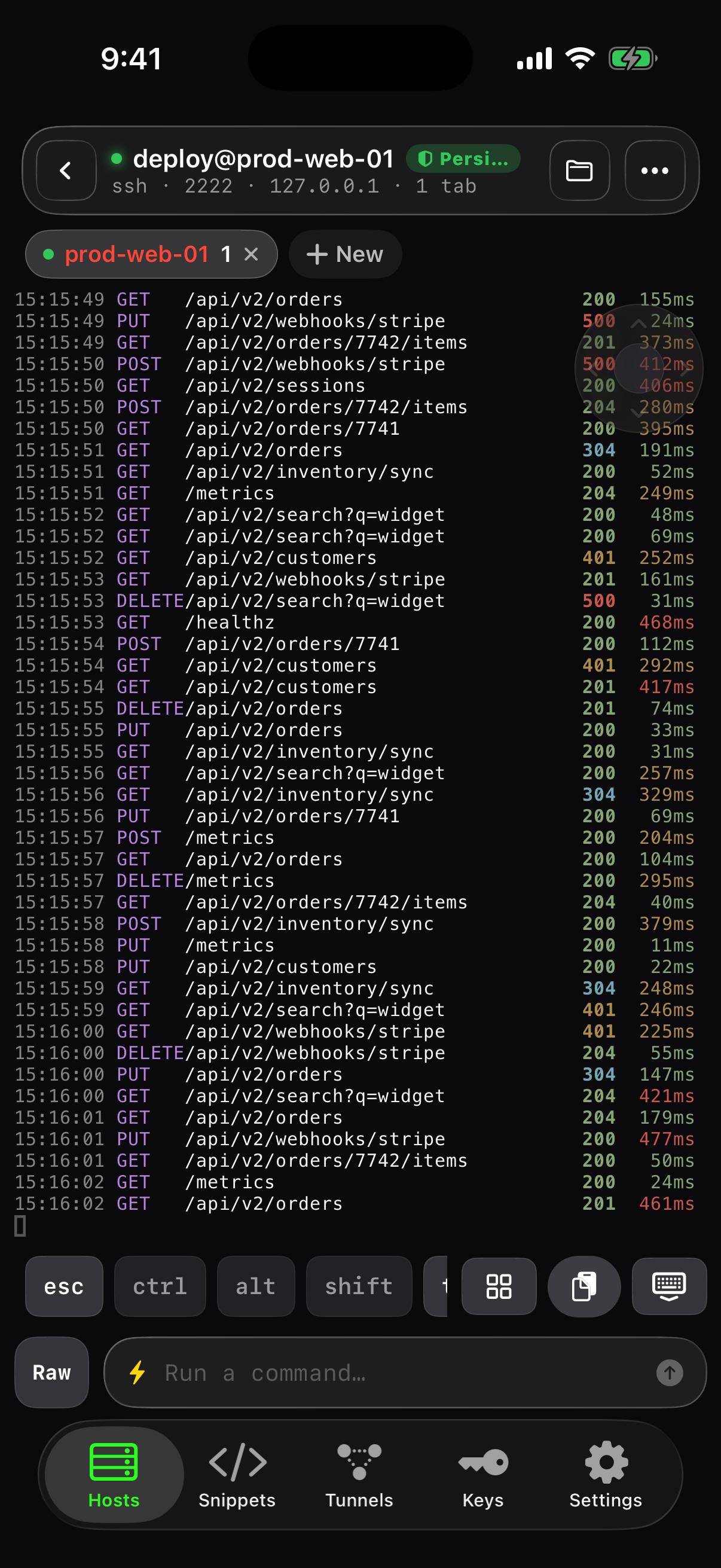
A log stream, a build, an agent refactor. The green Persistent badge in the session header means it's running inside tmux on the host — fire it off and pocket the phone.

02

Change networks. Ride the elevator.

Wi-Fi to 5G, a dead spot, the OS reaping the app in the background — the session lives on the host, not on the socket. Termite reattaches by itself.

03

Come back whenever

Hosts greets you with the live card — 2 hosts, 2 running sessions, a ticking timer. One-tap Resume, or End All when you're done. Sessions persist until you say so, not until the OS feels like it.

04

Attach to anything

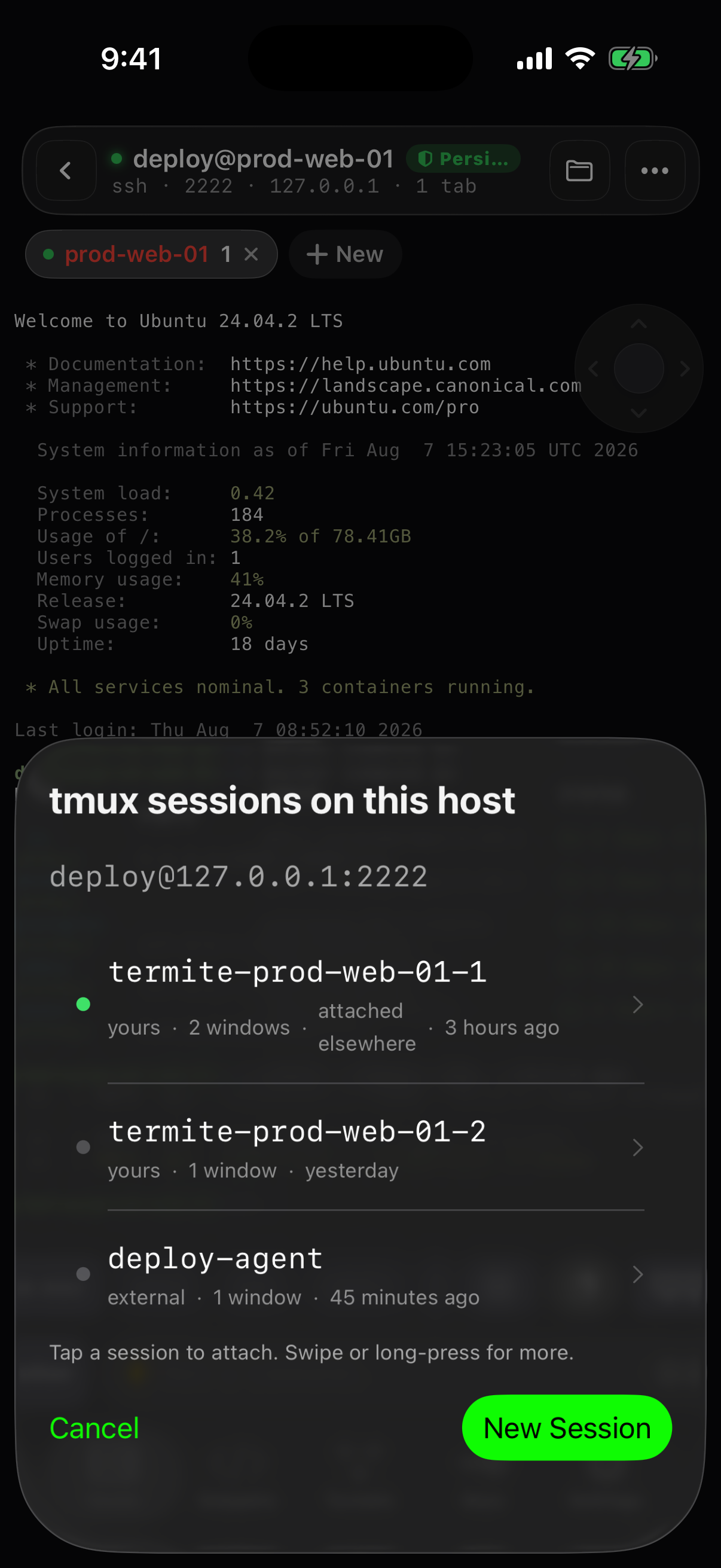
The session picker lists every tmux session on the host — yours and external ones, window counts, age, attached state. One tap and you're in the same scrollback, same running process.

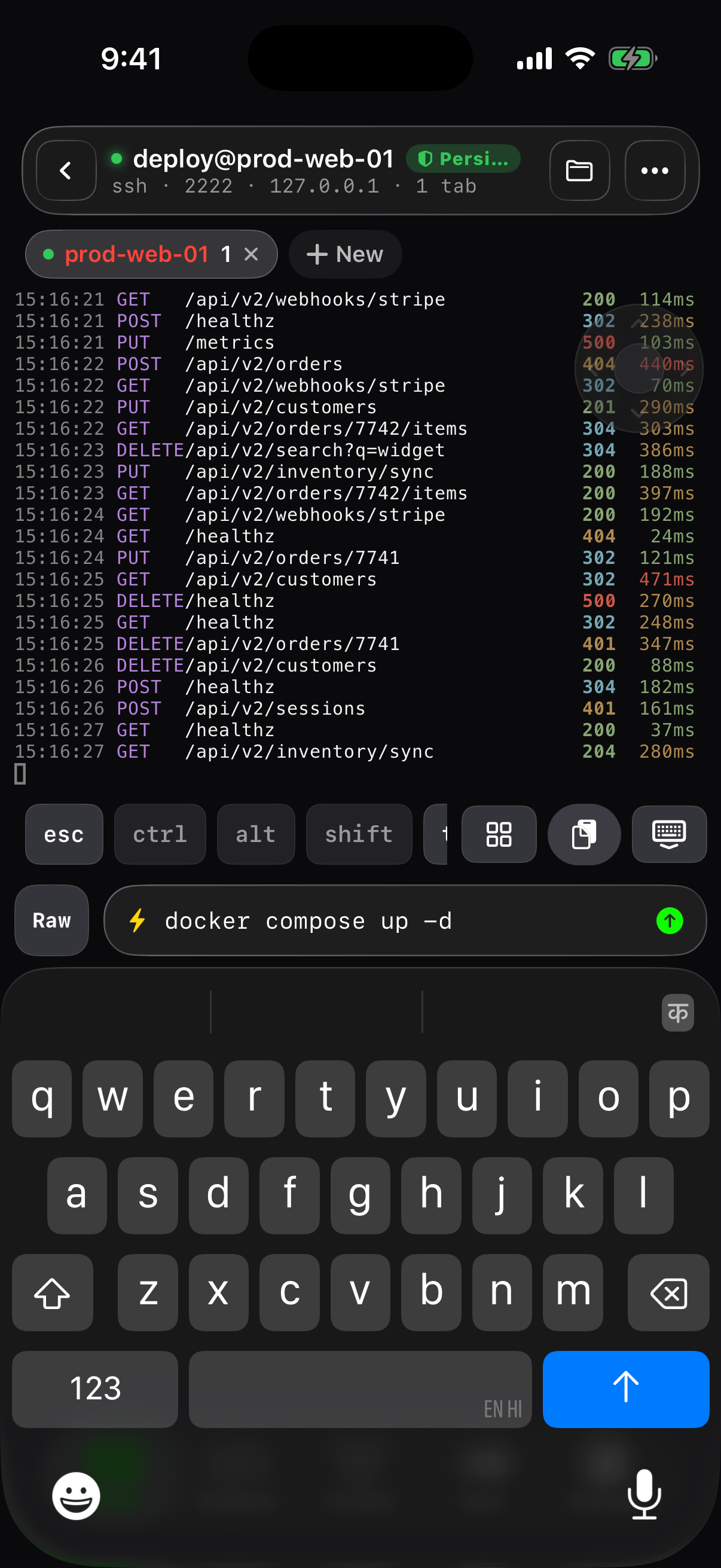
Live SSH session streaming logs, Persistent badge in the header
18:14 5G
deploy@prod-web-01
network changed · reattaching…
15:15:49 GET  /api/v2/orders  200 155ms
15:15:49 PUT  /api/v2/webhooks/stripe  500 24ms
15:15:50 GET  /api/v2/sessions  200 406ms
15:15:51 GET  /api/v2/inventory/sync  200 52ms
⟳ Reattaching tmux session
Wi-Fi → 5G. Your logs never stopped —

they're streaming on the host, not the phone.
Hosts screen with the Active Sessions card — Resume or End All
tmux session picker — attach to any session on the host
Built for driving agents

The phone is the remote. The server does the work.

Approve Reject Mode Interrupt Stop /

Agent profiles

Claude Code, Codex and Grok ship as profiles: detection markers, waiting markers, and the exact bytes each control sends. Detected from output, always overridable, updated without an app release.

TERMITEnow
claude-code is waiting on prod-web-01
Run npm run deploy:staging?
ApproveRejectStop

AI notifications

Time-sensitive push when a command finishes or an agent pauses for input — locked phone included. Actionable Approve / Reject / Stop, per-host mute, quiet hours.

>_claude-code 12:41

Live Activity + Dynamic Island

Working → waiting → done with a live elapsed timer, on the lock screen and in the island. Approve straight from either — Apple Watch included.

restart the api service and tail its logs
↳ sudo systemctl restart api && journalctl -u api -f

English in, command out

The smart composer takes what you mean and shows the command before it runs — with a Raw toggle when you want bare keystrokes. Nothing executes without your explicit send.

Read ~/.termite/uploads/IMG_2841.png

Paste a screenshot to your agent

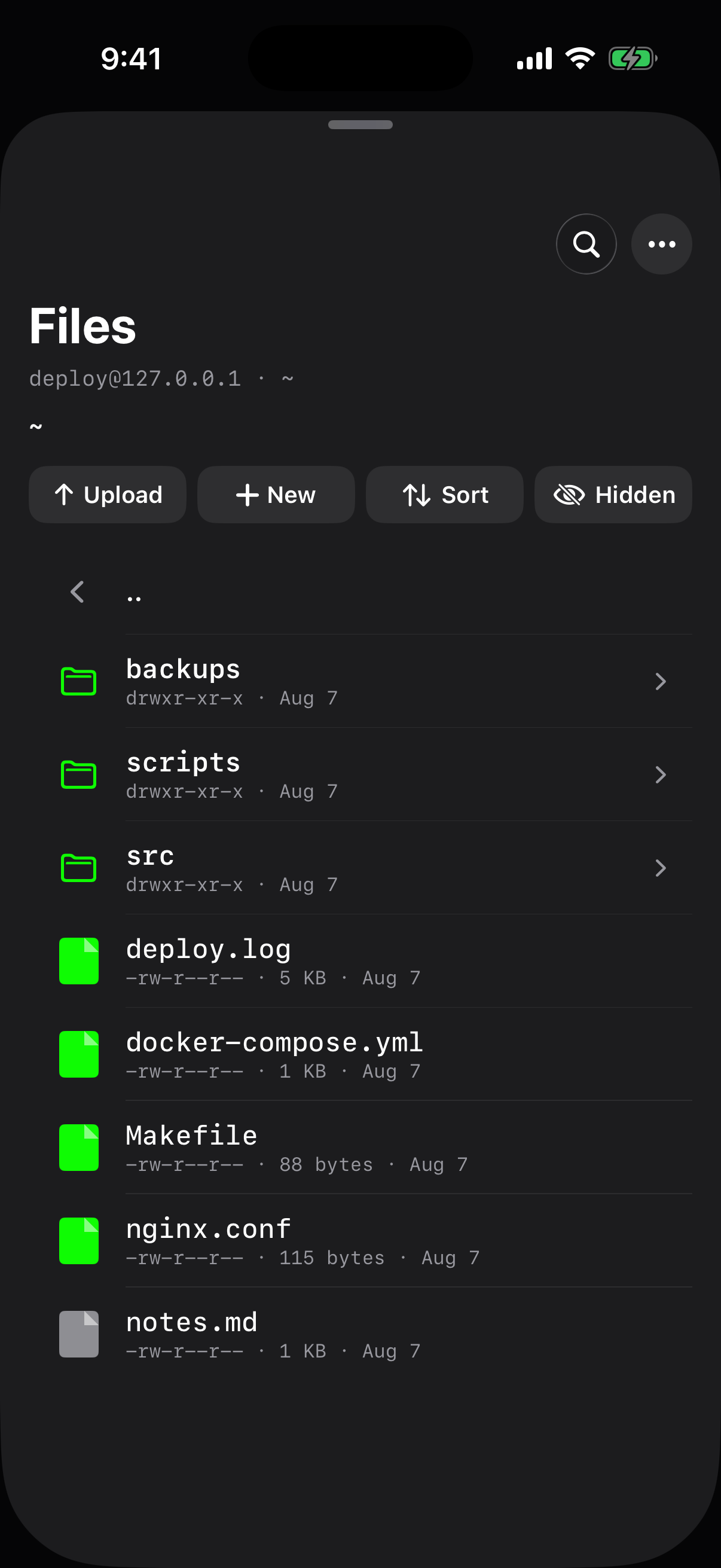
Paste or attach an image on the phone; Termite uploads it over SFTP and drops a path the remote agent can actually read. HEIC converted on the way.

esc ctrl alt F5 |

A real terminal, real keys

Native terminal rendering, split panes, a key bar whose ⌃ ⌥ ⇧ combine with the software keyboard, an F1–F12 grid, and full hardware-keyboard chords on iPad.

iPhone · iPad · Android · Mac

Pocket-first.

Not pocket-only.

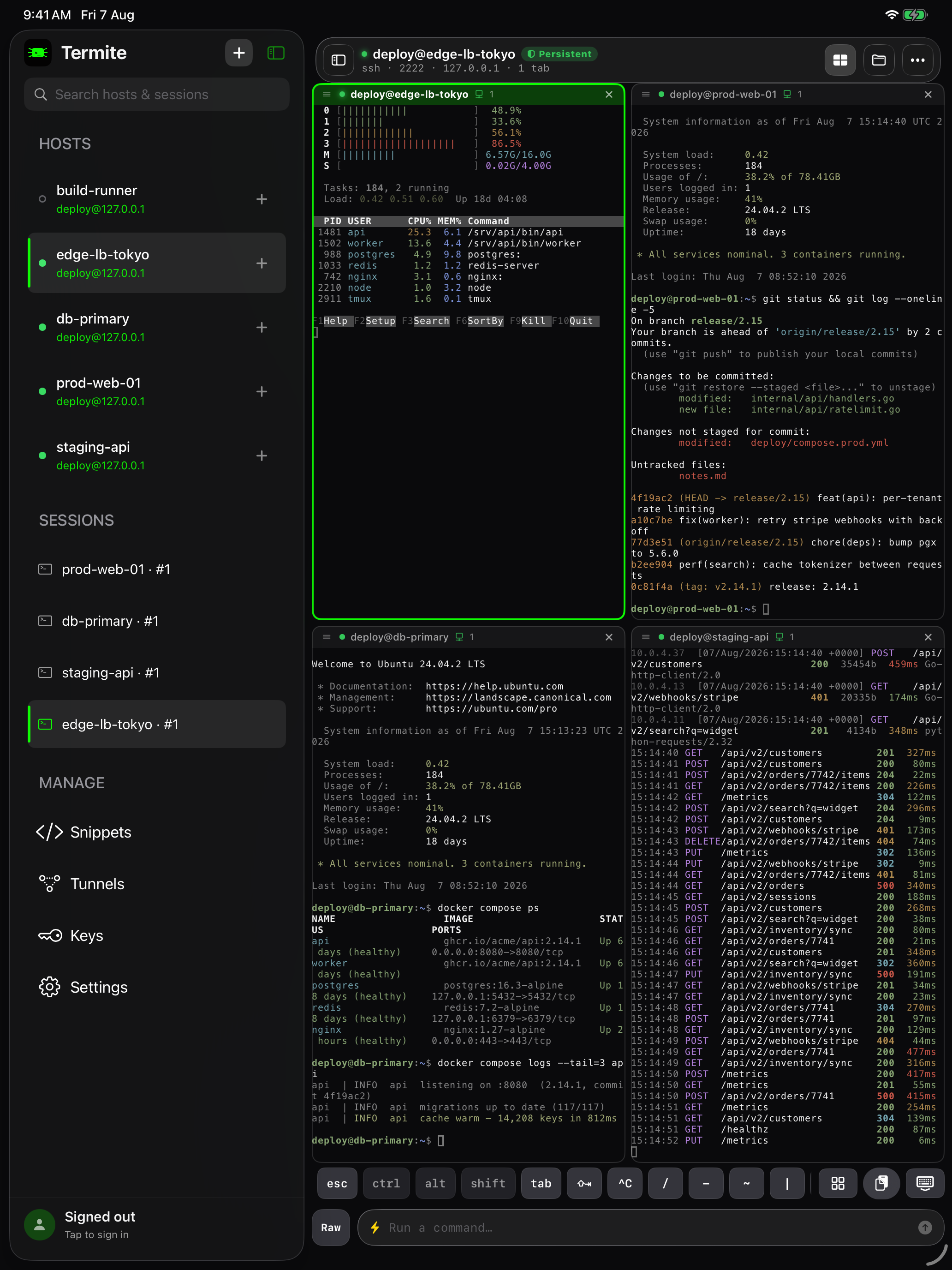
On iPad, four independent sessions share the screen — each pane its own server, the sidebar holding hosts, running sessions, snippets, tunnels and keys. The same app runs natively on Android and macOS. Hosts, keys, snippets and tunnels sync between devices — end-to-end encrypted, so the sync service never sees a hostname or a key.

Start a session at your desk, resume it from the train — same tmux session, any device.
Split-pane terminals: 2-up, stacked, or 2×2 — with full hardware-keyboard chords.
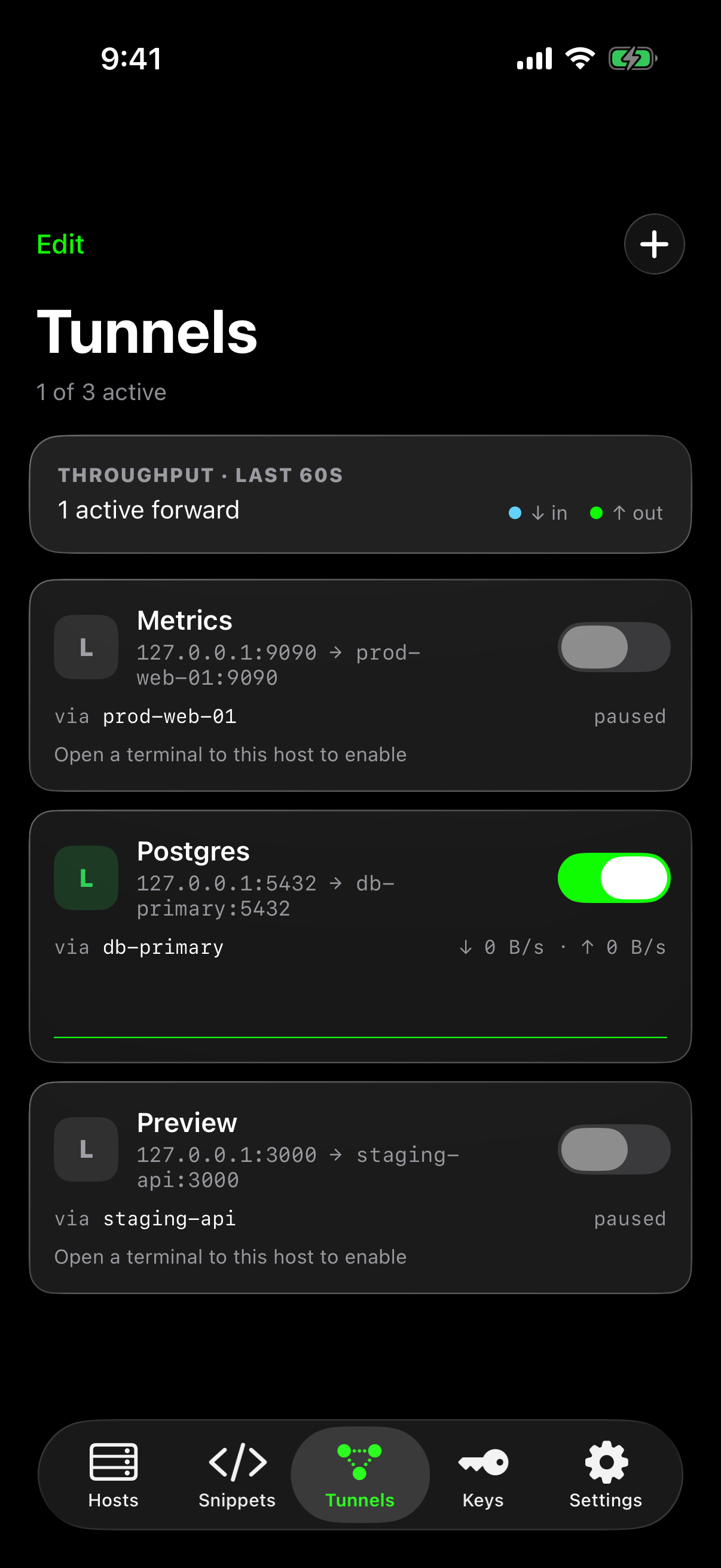
SFTP, port forwarding and snippets on every platform.
iPad — four SSH sessions in a 2×2 split with sidebar

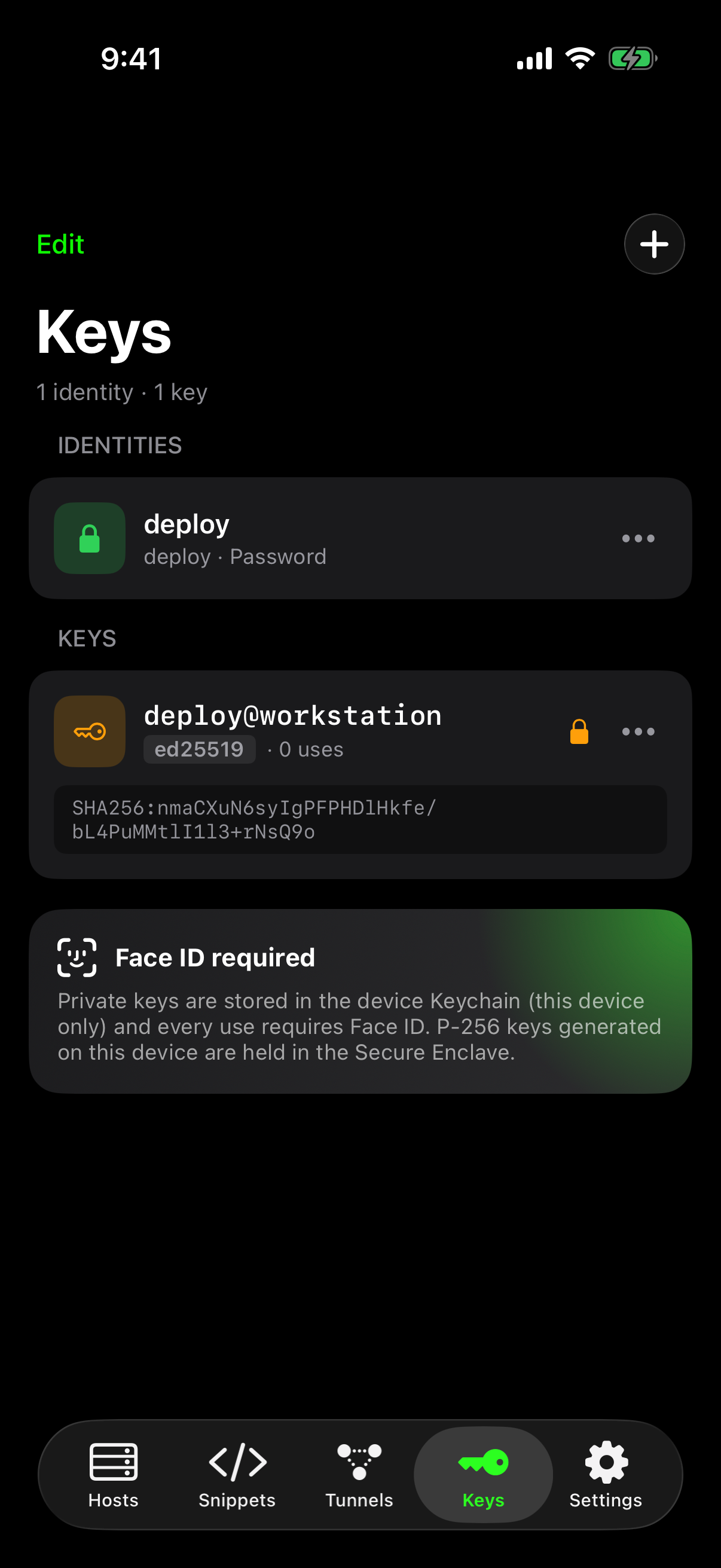
Your keys never leave the device.

Keys behind Face ID

Private keys live in the device Keychain, this device only; every use is a biometric prompt. P-256 keys generated on-device sit in the Secure Enclave.

Host-key pinning

Trust-on-first-use with SHA-256 fingerprints. A changed key hard-blocks the connection.

Approvals over your SSH

Lock-screen Approve/Reject rides the app's own connection. Credentials never touch the push pipeline.

No account required

Termite works fully without signing in. E2E-encrypted sync is opt-in, under keys only your devices hold.